
 ACCOUNT

Yes, but probably not for the reason you think, and probably not with the case you already own. AirPods Max ship with the Smart Case, and Apple built it to manage the battery. That is the whole job. It does not protect the head band, it does not protect the ear cups once the headphones are out of it, and by Apple's own published numbers it saves far less battery than most people assume. So the honest answer splits in two. If you mean a carry case, you need one less often than the internet tells you. If you mean a cover for the parts that actually get scratched, that is a different question entirely, and the Smart Case has never answered it.
In this article
- What does the Apple Smart Case actually do?
- So do you need the Smart Case for battery life?
- What the Smart Case has nothing to do with
- What the Smart Case does not protect
- Case or cover, compared
- Four covers to start with
- Hardshell or silicone: what to look for
- FAQ
What does the Apple Smart Case actually do?
One thing. Magnets. AirPods Max have no power button. There is no switch, no long press, no way to tell them you are finished. Apple's answer was to hide magnets in the Smart Case, and the headphones read those magnets as a signal to stand down.
After two weeks of confused reviews, Apple published the exact behavior in a support document. Four numbers matter:
- Five minutes. Set your AirPods Max down anywhere and leave them still, and they enter low power mode on their own. No case involved.
- Immediately. Put them in the Smart Case and they enter that same low power mode straight away.
- 72 hours. Left out of the case and stationary, they eventually drop into ultralow power mode, which switches off Bluetooth and Find My.
- 18 hours. Left in the Smart Case, that same ultralow state arrives sooner.
Read the list again, because it is not what the marketing implies. The Smart Case does not unlock a power saving mode you cannot otherwise reach. It reaches the same two modes your headphones already reach by themselves, just earlier. MacRumors put a number on the practical difference: over four idle hours, AirPods Max lost three percent of charge outside the case and one percent inside it. Two percent, over four hours.
So do you need the Smart Case for battery life?
It depends entirely on how long the headphones sit unused.
Storing them for a day or more? Use it. The gap between 18 hours and 72 hours is real. If your AirPods Max are going into a drawer for the weekend, the Smart Case gets them into the deepest power saving state roughly two and a half days sooner, and that adds up.
Using them every day? The Smart Case is close to ceremonial. Off your head, onto the desk, into the bag, back on your head. In that loop it buys you five minutes and a couple of percent. Nobody who wears their headphones daily is losing meaningful battery by leaving them out of it.
What the Smart Case has nothing to do with
Two things get assumed because the smaller AirPods work that way, and neither is true here.
Charging. The Smart Case has no battery and no charging contacts. It is a sleeve with magnets in it. AirPods Max charge through the port on the ear cup, and they charge identically whether the Smart Case is anywhere near them or not. If you came from AirPods or AirPods Pro, where the case genuinely is a charger, this is the habit to unlearn.
Firmware updates. These install over the air while your headphones are paired and in range of your device. The Smart Case plays no part. You do not need to case them overnight to get an update.
So: it does not charge them, it does not update them, and in daily use it barely saves battery. Which leaves one obvious question.
What the Smart Case does not protect
Look at where AirPods Max actually get damaged. The ear cups are anodized aluminum, and they are the widest part of the headphones. They are the part that meets the desk when you set them down. They meet the zip teeth when you slide them into a tote. They meet keys, laptop corners, the underside of an airline tray table, the ring on someone's hand as they pass you the headphones to listen to something.
The Smart Case protects none of that, because the Smart Case only works when the headphones are inside it. The moment they come out, the aluminum is bare again. And the Smart Case never covered the head band or the ear cushions in the first place, which is why it has been mocked since launch.
A cover works the other way around. It stays on. It is there on the desk, in the bag, on your head, at the moment the scratch would have happened.
Case or cover, compared
These are two different products solving two different problems, and the fact that both get called a "case" is why the question is so confusing.
| Smart Case or carry case | Ear cup cover | |
|---|---|---|
| Built for | Storage and battery | Daily wear |
| Protects against | Knocks inside a bag | Scratches on the ear cups |
| Working when | The headphones are inside it | Always, including on your head |
| Battery effect | Triggers low power mode immediately | None |
| Charges them | No | No |
| Looks like | A beige default | Whatever you choose |
The good news is that this is not a choice. KELAB covers are slim enough that your AirPods Max still slide into the Apple Smart Case with the covers on, and the sleep magnets still trigger. You can run both, which means the real question is not which one to buy but which failure you are actually worried about. Nobody writes to us because their headphones got crushed in a bag. They write because there is a silver scratch across a beautiful aluminum ear cup and it will not buff out.
Four covers to start with
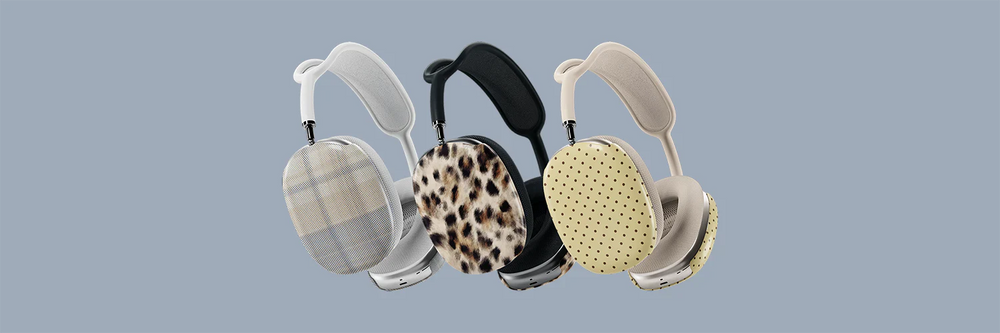
All KELAB AirPods Max covers are the same build: a molded hardshell with a glossy scratch resistant coating, sold as a set of two, one for each ear cup. They snap on with no adhesive and no tools, they leave the Digital Crown and the noise control button clear, and they fit AirPods Max 1 and 2, so there is no model to check before you order. The only decision left is the print. There are over twenty, but these four cover most people.
Toasted Sesame: yellow polka dot
Warm mustard rather than bright yellow, which is the whole difference. Yellow is the shade most brands skip on headphones because it tips into novelty so easily, and this one stays on the toasted, earthy side of it. Tonal dots drawn in house. It is the pick if you want warmth without volume.

Coastline: blue vertical stripe
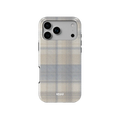
Clean pastel stripes running down a cool ground, the crispest read of the four. It behaves like a shirt you already own: it goes with everything, it never dates, and nobody has to comment on it. The pick if you want the headphones to look considered rather than decorated.

Platinum Predator: black and white cheetah
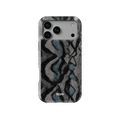
Animal print without the sweetness, which is harder to find than it should be. Most cheetah and leopard covers lean warm, pink and decorative. This one is monochrome, so it sits with a black laptop and a gray coat rather than fighting them. The pick if you want the headphones to have an opinion but not a personality.

Arctic Aristocrat: light brown cheetah
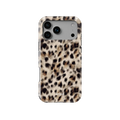
The warm counterpart to Platinum Predator. Soft light brown spots on a pale ground, the version people usually picture when they search for leopard print, even though the spot shape is technically cheetah. If that distinction matters to you, we wrote about leopard print versus cheetah print. If it does not, this is the one that reads as animal print from across a room and as a neutral up close.

Also carry AirPods or AirPods Pro? Our guide to aesthetic AirPods cases covers the smaller models, and you can match the print across both.
Hardshell or silicone: what to look for
Once you have decided you want a cover, there are really only two categories on the market, and they age very differently.
Silicone. Soft, grippy, cheap, and it collects everything. Lint, dust, the gray fuzz from the inside of your bag. It clings to it and it does not let go. Silicone also stretches over time, so a cover that started snug ends up loose, and any print sits on a surface that flexes every time you handle it.
Hardshell. Molded plastic that holds its shape. It does not stretch, it does not attract lint, and because the surface is rigid, a printed pattern stays sharp instead of distorting. Look for a glossy scratch resistant coating, which is what keeps the cover itself from becoming the scuffed thing you were trying to avoid. And check that the cutouts leave the Digital Crown and the noise control button clear, because a cover that makes you fight for your own volume control will come off within a week.
One thing worth separating out, because the search results confuse it constantly: an ear cup cover is not an ear cushion. The cushions are the soft memory foam pads your ears actually rest against, and they are a replaceable wear part. A cover is a hardshell that sits on the outside of the aluminum. They do completely different jobs and you can use both.
Frequently asked questions
Do AirPods Max need a case?
Can I use AirPods Max without a case?
Do AirPods Max need to be in the case to turn off?
Do AirPods Max need to be in the case to charge?
Do AirPods Max need to be in the case for firmware updates?
What happens if you lose the AirPods Max Smart Case?
Do ear cup covers stop the Smart Case working?
Is a hardshell cover better than a silicone one?
Do KELAB AirPods Max covers fit both generations?
The scratch happens on your head, not in the bag
Over twenty hardshell AirPods Max covers, drawn in house and printed in small batches. Set of two, $29.


